Sand Loop Level 218 Solution

Complete walkthrough and strategy guide for Sand Loop Level 218. Watch the video tutorial and learn expert tips to beat this level.

Level 218 Video Walkthrough
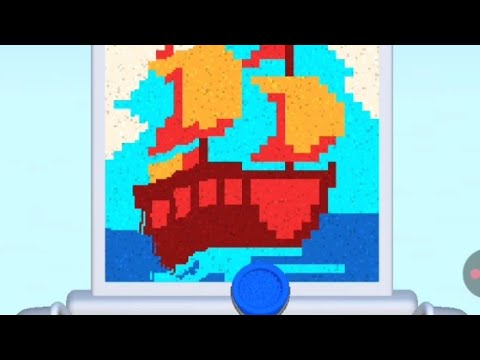
Sand Loop Level 218 Walkthrough
Click to play video

Watch this video walkthrough to learn how to beat Sand Loop Level 218. Follow the step-by-step solution.

Sand Loop Level 218 Overview

Master Sand Loop Level 218 with our complete walkthrough. This expert level typically takes 8–15 min to complete. Find tips, video guides, and strategies for this puzzle level.

218
Level
Expert
Difficulty
8–15 min
Avg Time

Detailed Level Strategy

Guide the red ball through a series of drawn sand paths, utilizing two gravity switches, to reach the target bucket.

Estimated Clear Time
1 min
Observed Retries
0
Device
N/A
Game Version
N/A

Key Moments and Actions

TimeSceneActionCommon ErrorConfidence
00:01Level StartThe level begins with the red ball dropping from the top left.100%
00:07First Gravity Switch ActivationThe red ball activates the first gravity switch, reversing gravity and causing sand particles to flow upwards.100%
00:10Second Gravity Switch ActivationThe red ball activates the second gravity switch, normalizing gravity and causing sand particles to flow downwards.100%
00:12Ball enters targetThe red ball successfully enters the target bucket.100%
00:13Level CompleteThe 'Level Complete!' screen is displayed.100%

Step-by-Step Walkthrough

Step 1: Guide the ball to the right wall.

Draw a downward-sloping sand path to the right from the initial platform where the ball drops (starting around 00:02).

The ball rolls along the drawn path and hits the vertical wall on the right.

Step 2: Guide the ball further right, bypassing an obstacle.

Draw a second downward-sloping sand path from the right wall, extending further right and slightly down (starting around 00:04).

The ball rolls along the path and hits another vertical wall or barrier to the right.

Step 3: Activate the first gravity switch.

Draw a third downward-sloping sand path leading directly to the first gravity switch located on the bottom right (starting around 00:06).

The ball rolls into the gravity switch, causing gravity to reverse (sand particles flow upwards).

Step 4: Guide the ball left towards the second gravity switch.

With gravity reversed, draw an upward-sloping sand path from the upper right ceiling area towards the second gravity switch located on the upper left (starting around 00:09).

The ball flows upwards along the path and activates the second gravity switch, normalizing gravity (sand particles flow downwards).

Step 5: Guide the ball into the target bucket.

As the ball falls due to normalized gravity, draw a final downward-sloping sand path leading directly into the target bucket on the bottom left (starting around 00:11).

The ball enters the target bucket, completing the level.

Common Failures and Fixes

Drawing sand paths too flat or too steep, causing the ball to lose momentum or overshoot.

Fix: Adjust the angle and length of the drawn paths. Ensure smooth connections between path segments to maintain the ball's flow.

Evidence Time: N/A

Missing a gravity switch, leading to the ball getting stuck or going in the wrong direction.

Fix: Carefully draw paths that guide the ball directly into the center of the gravity switch icons to ensure activation.

Evidence Time: N/A

Quick FAQ

Q: How do I reverse gravity in Sand Loop Level 29?

A: To reverse gravity, guide the red ball into one of the gravity switch icons (represented by an up/down arrow symbol). There are two such switches in this level.

Q: My ball gets stuck after the gravity reverses the first time, what should I do?

A: After the first gravity reversal, the ball will move upwards. You need to draw a path from the ceiling (where the ball is now moving) towards the second gravity switch on the upper left to normalize gravity and continue the path.

Share Sand Loop Level 218 Guide

Found this Sand Loop Level 218 walkthrough helpful? Share it with friends who might be stuck on this level!

Share Your Experience

0/200 characters

Max 1MB

Max 5MB

Community Comments (0)

No comments yet. Be the first to share your experience!