Step 1: Navigate the initial Cube section
Tap to jump over spikes and gaps on solid platforms.
Entering the first Ship portal.
Complete walkthrough and strategy guide for Sand Loop Level 54. Watch the video tutorial and learn expert tips to beat this level.
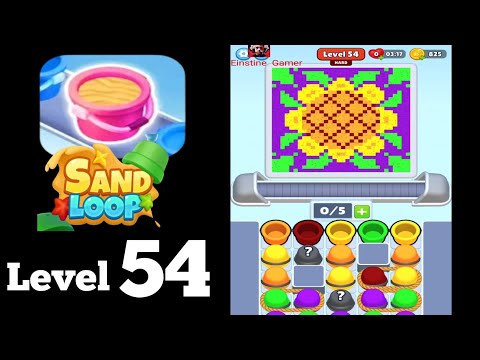
Watch this video walkthrough to learn how to beat Sand Loop Level 54. Follow the step-by-step solution.
Master Sand Loop Level 54 with our complete walkthrough. This easy level typically takes 2–3 min to complete. Find tips, video guides, and strategies for this puzzle level.
A fast-paced Geometry Dash-style platformer level called 'Sand Loop', featuring frequent character transformations (Cube, Ship, Ball, Robot, Spider) and gravity changes through a sandy, ancient Egyptian-themed environment.
| Time | Scene | Action | Common Error | Confidence |
|---|---|---|---|---|
| 00:00 | Level Start, Cube mode | Navigating initial spikes and platforms. | 100% | |
| 00:02 | Ship mode | Flying through narrow horizontal passages. | Crashing into obstacles due to imprecise flight. | 100% |
| 00:05 | Cube mode | Jumping over moving spikes and platforms. | 100% | |
| 00:10 | Ball mode | Navigating sloped paths and gravity flips. | Mis-timing gravity switches and rolling into spikes. | 100% |
| 00:15 | Robot mode | Performing large jumps and reacting to gravity changes. | Misjudging jump distance and falling. | 100% |
| 00:20 | Ship mode | Navigating a wavy flight path. | 100% | |
| 00:28 | Ship mode (continuous tight spaces) | Maintaining sustained flight through very narrow, dynamic passages. | Crashing due to prolonged precision flight requirement. | 100% |
| 00:36 | Spider mode | Rapidly teleporting up/down walls. | Mis-timing wall teleports and hitting spikes. | 100% |
| 00:43 | Mini Cube mode | Executing rapid gravity flips and small jumps. | Overlapping jumps or mis-timing gravity switches. | 100% |
| 00:52 | Level Complete | Player successfully finishes the level. | 100% |
Tap to jump over spikes and gaps on solid platforms.
Entering the first Ship portal.
Hold to fly up, release to descend, carefully navigating narrow horizontal tunnels and obstacles.
Exiting the Ship portal and transforming back into Cube.
Time jumps to land on moving platforms and avoid vertical spikes.
Entering the next Ship portal with a gravity flip.
Hold to fly down, release to ascend, adapting to the inverted controls through a short passage.
Entering the Ball portal.
Tap to switch gravity, using momentum to traverse sloped paths and avoid spikes.
Entering the Mini Cube portal.
Tap for short, accurate jumps over small gaps and spikes.
Entering the Robot portal.
Hold to perform high jumps, adapting to gravity flips to clear large obstacles.
Entering the Mini Cube portal with rapid gravity changes.
Execute quick, precise taps to navigate short jumps with frequently changing gravity.
Entering the wavy Ship portal.
Hold and release in rhythmic succession to trace the wavy outline of the tunnel.
Exiting the wavy Ship section and entering the Ball portal.
Tap precisely to switch gravity, timing rolls on slopes and vertical walls to avoid obstacles.
Entering the Mini Cube portal.
Rapidly tap to jump over multiple small spikes and gaps.
Entering the Ship portal.
Maintain continuous, precise flight adjustments to pass through an extended sequence of narrow horizontal obstacles.
Exiting the Ship section and transforming into Robot.
Hold for high jumps, timing them to land on moving platforms and adapt to gravity changes.
Entering the Spider portal.
Tap to instantly switch between the top and bottom surfaces, passing through narrow openings.
Entering the Mini Ship portal.
Rapidly hold and release to navigate a quicker, smaller wavy path.
Exiting the Mini Ship section and transforming into Robot.
Hold for high jumps, timing the landing on platforms that appear and disappear.
Entering the Mini Cube portal.
Quickly tap to jump and adapt to extremely fast gravity changes.
Entering the Mini Ship portal for the final section.
Hold and release to fly quickly through a final short horizontal passage.
Exiting the Mini Ship section and transforming into Mini Cube.
Perform a few final small jumps as Mini Cube to reach the finish line.
Touching the 'Level Complete' gate.
Mis-timing jumps in Cube mode, especially with moving platforms.
Fix: Focus on the movement patterns of obstacles and platforms, and tap for jumps precisely as the character aligns with a safe landing spot.
Evidence Time: N/A
Crashing in Ship mode due to overcorrection or inability to fit through narrow gaps.
Fix: Make small, controlled adjustments by gently tapping and releasing, rather than holding for too long. Practice maintaining a steady flight path.
Evidence Time: N/A
Falling off platforms or into spikes in Robot mode after gravity flips.
Fix: Anticipate gravity changes indicated by portals. Adjust the duration of your jump holds immediately after a gravity flip to compensate for the new 'down' direction.
Evidence Time: N/A
Incorrect gravity switch timing in Ball mode, leading to falls or hitting spikes.
Fix: Observe the sloped paths carefully. Tap to switch gravity only when the ball needs to adhere to a new surface or gain momentum for an upcoming section.
Evidence Time: N/A
Missing a wall or hitting an obstacle in Spider mode during teleports.
Fix: Ensure you are aligned correctly before tapping to teleport. Practice quick, precise taps to navigate the confined spaces.
Evidence Time: N/A
Q: What do the different character forms (Cube, Ship, Ball, Robot, Spider) do?
A: Each form has a unique movement mechanic. Cube jumps, Ship flies (hold to go up/down), Ball switches gravity, Robot has high jumps (hold for higher), and Spider teleports between surfaces (tap to switch).
Q: How do I change gravity?
A: Gravity changes are triggered by passing through specific portals. In Ball mode, tapping also switches gravity. You need to adapt your controls instantly when gravity flips.
Q: How can I improve my precision in Ship mode's tight sections?
A: Practice is key. Focus on making minimal, soft taps and releases to maintain a steady flight path. Avoid panic-holding or rapidly tapping, which can lead to overcorrection.
View Guide →
View Guide →
View Guide →
View Guide →
View Guide →
View Guide →
View Guide →
View Guide →
View Guide →
View Guide →
View Guide →
View Guide →