
Step 1: Open the first red gate.
Draw a short horizontal line below the main sand source, then an angled line to guide the sand into the leftmost container.
The leftmost container fills, and the first red gate (left) opens.
Complete walkthrough and strategy guide for Sand Loop Level 286. Watch the video tutorial and learn expert tips to beat this level.
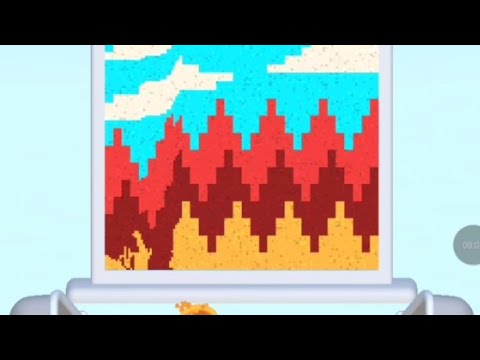
Watch this video walkthrough to learn how to beat Sand Loop Level 286. Follow the step-by-step solution.
Master Sand Loop Level 286 with our complete walkthrough. This expert level typically takes 8–15 min to complete. Find tips, video guides, and strategies for this puzzle level.
Guide sand through three red gates, opened by filling specific containers, then into a waiting truck, utilizing an additional sand drop for the third gate.
| Time | Scene | Action | Common Error | Confidence |
|---|---|---|---|---|
| 00:00 | Level start | Level 286 displayed | 100% | |
| 00:06 | Successful run begins | Player draws the first line to guide sand. | 100% | |
| 00:10 | First container filling | Sand begins to fill the first container on the left. | 100% | |
| 00:14 | First gate opens | The first red gate opens after the container is filled. | 100% | |
| 00:17 | Second container filling | Sand begins to fill the middle container. | 100% | |
| 00:20 | Second gate opens | The second red gate opens. | 100% | |
| 00:23 | Third container filling and extra sand | Sand begins to fill the right container, and the player activates the additional sand drop. | 100% | |
| 00:26 | Third gate opens | The third red gate opens. | 100% | |
| 00:30 | Truck filling | Sand begins to fall into the truck. | 100% | |
| 00:41 | Truck filled | The truck is completely filled with sand. | 100% | |
| 00:46 | Level Cleared screen | The 'Level Cleared!' screen appears. | 100% |
Draw a short horizontal line below the main sand source, then an angled line to guide the sand into the leftmost container.
The leftmost container fills, and the first red gate (left) opens.
Extend the line from the first gate's opening or draw a new line to guide sand into the middle container.
The middle container fills, and the second red gate (middle) opens.
Extend the line to guide sand into the rightmost container. Crucially, tap the secondary sand drop button above to release additional sand to ensure the container fills.
The rightmost container fills, and the third red gate (right) opens.
Draw a final line from the opening of the third red gate directly into the truck's bed.
The truck fills completely, and the 'Level Cleared!' screen appears.
Not enough sand to fill a container, especially the third one.
Fix: Ensure lines are drawn efficiently to direct all available sand without waste. Remember to use the additional sand drop for the third container.
Evidence Time: N/A
Sand flows past a container instead of into it.
Fix: Draw lines that create a 'pocket' or 'funnel' directly into the container's opening to maximize sand collection.
Evidence Time: N/A
Q: How do I open the red gates?
A: You need to guide sand into the designated containers located directly above each red gate. Once a container is filled, its corresponding gate will open.
Q: When should I use the additional sand drop?
A: The additional sand drop (the button with a sand icon) is generally needed when the primary sand source isn't sufficient to fill a container. In this level, it's crucial for filling the third container to open the third gate.
View Guide →
View Guide →
View Guide →
View Guide →
View Guide →
View Guide →
View Guide →
View Guide →
View Guide →
View Guide →

View Guide →
View Guide →