Sand Loop Level 244 Solution

Complete walkthrough and strategy guide for Sand Loop Level 244. Watch the video tutorial and learn expert tips to beat this level.

Level 244 Video Walkthrough
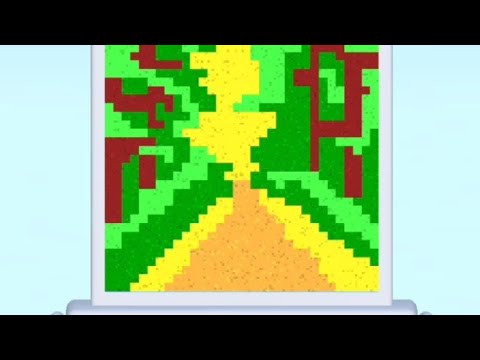
Sand Loop Level 244 Walkthrough
Click to play video

Watch this video walkthrough to learn how to beat Sand Loop Level 244. Follow the step-by-step solution.

Sand Loop Level 244 Overview

Master Sand Loop Level 244 with our complete walkthrough. This expert level typically takes 8–15 min to complete. Find tips, video guides, and strategies for this puzzle level.

244
Level
Expert
Difficulty
8–15 min
Avg Time

Detailed Level Strategy

This walkthrough for Unblock Me Level 11, 'Sand Loop', demonstrates a methodical approach to clear the path for the red block by first shifting blocks on the right and bottom, repositioning the red block to the far left, and then clearing the top path for the final exit.

Estimated Clear Time
1 min
Observed Retries
0
Device
unknown
Game Version
unknown

Key Moments and Actions

TimeSceneActionCommon ErrorConfidence
00:00Level StartInitial board layout is displayed, with the red block positioned on the right side.100%
00:01Clearing Top RightThe top-most vertical blue block on the right column is moved up to create initial space.100%
00:04Red Block First MoveThe red block moves one unit to the right, utilizing the newly created space.100%
00:05Clearing Bottom LeftThe strategy shifts to clearing the bottom-left area, starting with the bottom-left vertical blue block moving down.100%
00:11Clearing Middle Left PathThe horizontal brown block in the middle-left begins to move left, creating a wide horizontal path.100%
00:13Red Block RepositioningThe red block moves leftward, repositioning itself to the far left of the board.100%
00:17Final Path OpeningThe top-right vertical blue block (which moved up at 00:01) is now moved down, completing the opening of the red block's exit path.100%
00:20Level ClearedThe red block moves horizontally to the right, exiting the board and solving the level.100%

Step-by-Step Walkthrough

Step 1: Create space at the top right.

Move the top-most vertical blue block (2 units long) on the right column up by 1 unit.

The blue block shifts upwards.

Step 2: Create space in the middle right.

Move the vertical brown block (3 units long) in the middle of the right column up by 1 unit.

The brown block shifts upwards.

Step 3: Create space at the bottom right.

Move the bottom-most vertical blue block (2 units long) on the right column up by 1 unit.

The blue block shifts upwards.

Step 4: Advance the red block.

Move the red block (2 units long, horizontal) 1 unit to the right.

The red block moves right.

Step 5: Start clearing the bottom-left area.

Move the bottom-left vertical blue block (2 units long) down by 1 unit.

The blue block shifts downwards.

Step 6: Clear horizontal path at the bottom.

Move the bottom-middle horizontal brown block (3 units long) left by 1 unit.

The brown block shifts left.

Step 7: Further clear horizontal path at the bottom.

Move the bottom-middle horizontal brown block (3 units long) left by another 1 unit (total 2 units from initial position).

The brown block shifts further left.

Step 8: Clear space on the far left.

Move the vertical blue block (2 units long) on the far left column down by 1 unit.

The blue block shifts downwards.

Step 9: Further clear space on the far left.

Move the vertical blue block (2 units long) on the far left column down by another 1 unit (total 2 units down).

The blue block shifts further downwards.

Step 10: Open path for the red block's repositioning.

Move the bottom-left vertical blue block (from Step 5) down by another 1 unit (total 2 units down from initial).

The blue block shifts further downwards.

Step 11: Create main horizontal path for red block.

Move the middle-left horizontal brown block (3 units long) left by 1 unit.

The brown block shifts left.

Step 12: Fully open the main horizontal path.

Move the middle-left horizontal brown block (3 units long) left by another 1 unit (total 2 units left).

The brown block shifts further left.

Step 13: Reposition the red block to the left.

Move the red block (2 units long, horizontal) left by 1 unit.

The red block moves left.

Step 14: Fully reposition the red block.

Move the red block (2 units long, horizontal) left by another 1 unit (total 2 units left).

The red block moves further left.

Step 15: Clear upper path for the red block.

Move the top-middle horizontal brown block (3 units long) left by 1 unit.

The brown block shifts left.

Step 16: Complete clearing of the upper path.

Move the top-middle horizontal brown block (3 units long) left by another 1 unit (total 2 units left).

The brown block shifts further left.

Step 17: Final adjustment for red block exit.

Move the top-right vertical blue block (from Step 1) down by 1 unit (back to its initial position).

The blue block shifts downwards.

Step 18: Move red block towards the exit.

Move the red block (2 units long, horizontal) right by 1 unit.

The red block moves right.

Step 19: Continue moving red block towards the exit.

Move the red block (2 units long, horizontal) right by another 1 unit.

The red block moves further right.

Step 20: Exit the red block and clear the level.

Move the red block (2 units long, horizontal) completely out of the grid to the right.

The red block disappears from the board, and the 'SOLVED' screen appears.

Quick FAQ

Q: How do I start clearing the right side to move the red block initially?

A: Begin by moving the three vertical blocks on the right column (top blue, middle brown, bottom blue) upwards, one by one. This creates temporary space for the red block to move one unit to the right.

Q: What's the key to repositioning the red block from right to left?

A: After the initial right shift, you need to systematically clear the bottom-left and middle-left areas. This involves moving the bottom-left vertical blue block down, the bottom horizontal brown block left, the far-left vertical blue block down, and finally the middle-left horizontal brown block fully to the left. This opens a path for the red block to shift left twice.

Q: What are the final steps to get the red block out?

A: Once the red block is on the far left, you need to move the top-middle horizontal brown block completely to the left. Then, move the top-right vertical blue block (which was moved up at the beginning) back down. This clears the final path for the red block to exit to the right.

Share Sand Loop Level 244 Guide

Found this Sand Loop Level 244 walkthrough helpful? Share it with friends who might be stuck on this level!

Share Your Experience

0/200 characters

Max 1MB

Max 5MB

Community Comments (0)

No comments yet. Be the first to share your experience!