
Step 1: Initiate sand flow and add initial resources.
Hold down the left mouse button to add 'Sand' (SAND) and 'Water' (H2O) at the top of the structure, letting them fall into the pit below.
Sand and water are visibly flowing down into the pit.
Complete walkthrough and strategy guide for Sand Loop Level 240. Watch the video tutorial and learn expert tips to beat this level.
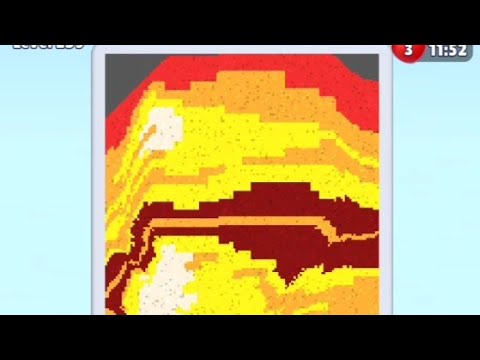
Watch this video walkthrough to learn how to beat Sand Loop Level 240. Follow the step-by-step solution.
Master Sand Loop Level 240 with our complete walkthrough. This expert level typically takes 8–15 min to complete. Find tips, video guides, and strategies for this puzzle level.
Create a self-sustaining sand loop by using plants to convert water into sand, filling a pump, and recycling the sand.
| Time | Scene | Action | Common Error | Confidence |
|---|---|---|---|---|
| 00:00 | Level gameplay starts with initial sand and water flow. | Observing the initial state and flow of sand and water into the pit. | 100% | |
| 00:12 | Player switches to 'Plant' element and places it in the water flow. | Introducing plants to convert water into sand, a key mechanism for the loop. | 100% | |
| 00:32 | The sand pump on the left activates, lifting sand upwards. | The accumulated sand reaches the pump intake, initiating the upward flow of the loop. | 100% | |
| 00:40 | Sand is continuously circulating through the pump and back into the system. | The self-sustaining sand loop is fully established and running stably without further player intervention. | 100% | |
| 00:55 | The video ends with the sand loop still running stably. | The successful and continuous operation of the sand loop is demonstrated until the end of the clip. | 100% |
Hold down the left mouse button to add 'Sand' (SAND) and 'Water' (H2O) at the top of the structure, letting them fall into the pit below.
Sand and water are visibly flowing down into the pit.
Switch to 'Plant' (PLNT) element. Place plant particles in the flowing water stream near the top of the pit. Allow plants to grow and convert water into sand. Repeat placing plants as needed to increase sand generation.
Visible growth of plants, and the accumulation of sand in the pit accelerates.
Continue adding plants to ensure sufficient sand generation. Wait for the sand level in the pit to rise high enough to reach the intake of the pump located on the left side of the structure.
The pump mechanism on the left activates, visibly lifting sand upwards.
Once the pump activates, observe the sand being lifted and then flowing back down from the top into the system. Ensure the flow is continuous and the sand level in the pit remains sufficient to keep the pump running without further manual input.
Sand is continuously circulating through the pump and back into the system without player interaction.
Insufficient sand generation, preventing the pump from activating or causing it to stop.
Fix: Add more 'Plant' (PLNT) elements into the water stream, especially where water is abundant, to increase the rate of water-to-sand conversion.
Evidence Time: N/A
Excessive water accumulation in the pit, hindering sand flow or pump activation.
Fix: Ensure enough plants are present to convert the water efficiently. If possible, adjust plant placement to optimize water consumption.
Evidence Time: N/A
Q: How do I get more sand in the 'Sand Loop' level?
A: You need to use the 'Plant' (PLNT) element. Place it in the flowing water, and the plants will convert water into sand, increasing your sand supply.
Q: How do I activate the pump in the 'Sand Loop' level?
A: The pump activates when enough sand accumulates in the main pit at the bottom of the structure. The sand level must rise high enough to reach the pump's intake on the left side.
Q: What is the purpose of the 'Plant' element in this level?
A: The 'Plant' element is crucial for this level because it converts water (H2O) into sand (SAND). This allows you to continuously generate sand, which is necessary to fill the pump and maintain the self-sustaining loop.

View Guide →
View Guide →
View Guide →
View Guide →
View Guide →
View Guide →
View Guide →

View Guide →
View Guide →
View Guide →
View Guide →

View Guide →