Step 1: Initiate sand flow
No action is needed; the sand automatically starts falling from the source at the top of the screen at the beginning of the level.
Sand is visibly falling from the source.
Complete walkthrough and strategy guide for Sand Loop Level 248. Watch the video tutorial and learn expert tips to beat this level.
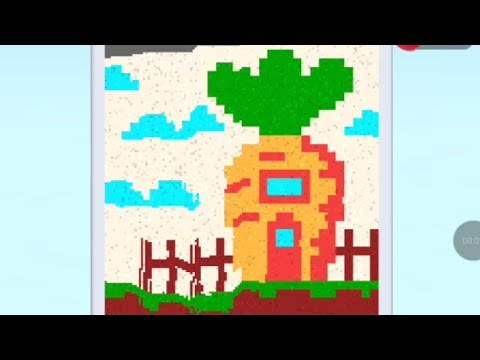
Watch this video walkthrough to learn how to beat Sand Loop Level 248. Follow the step-by-step solution.
Master Sand Loop Level 248 with our complete walkthrough. This expert level typically takes 8–15 min to complete. Find tips, video guides, and strategies for this puzzle level.
Guide falling sand into the target container by drawing lines to direct it through one of the two side funnels.
| Time | Scene | Action | Common Error | Confidence |
|---|---|---|---|---|
| 00:00 | Level start | Sand begins falling automatically from the source at the top. | 100% | |
| 00:01 | Guiding sand | Player draws a diagonal line to direct the flowing sand towards the left funnel. | 100% | |
| 00:04 | Sand entering container | Sand successfully flows through the left funnel and begins filling the target container. | 100% | |
| 00:06 | Sand flow optimization | Player draws a short horizontal line below the sand source to push remaining sand towards the left funnel, ensuring efficient collection. | Sand getting stuck or flowing slowly. | 90% |
| 00:13 | Level clear | The target container is completely filled, and the 'SUCCESS' message is displayed. | 100% |
No action is needed; the sand automatically starts falling from the source at the top of the screen at the beginning of the level.
Sand is visibly falling from the source.
Draw a diagonal line from the top-left area, below the sand source, extending downwards to guide all falling sand towards the entrance of the left funnel. (Alternatively, a similar line can be drawn for the right funnel to use the other path).
All sand flows smoothly and efficiently into the chosen funnel.
If any sand appears to slow down or get stuck either before entering or while moving through the funnel, draw additional short lines or extend existing ones inside the funnel to ensure a continuous and unimpeded flow into the target container.
Sand flows continuously into the target container without blockages or significant slowdowns.
Wait for all the sand to flow into the target container until it is completely full.
The container is completely filled, and the 'SUCCESS' message appears on screen, indicating the level is cleared.
Sand gets stuck or flows too slowly before or within the chosen funnel, preventing it from reaching the container efficiently.
Fix: Draw additional short lines or extend existing ones to refine the path, guiding the sand more precisely into the funnel opening and keeping it moving through the narrow sections.
Evidence Time: 00:19
The video demonstrates clearing the level by first directing sand to the left funnel (00:00-00:14) and then showing another successful attempt using the right funnel (00:15-00:26).
Adaptation: The core strategy remains the same regardless of which funnel is chosen: draw an initial guiding line to direct the sand, and then add minor corrections or extensions if the sand's flow is obstructed.
Q: How do I direct the sand in Sand Loop?
A: You direct the sand by drawing lines on the screen. These lines act as solid barriers, changing the path of the falling sand.
Q: What should I do if the sand gets stuck or doesn't flow properly?
A: If sand gets stuck, draw additional, smaller lines to push it along or to create a smoother, more direct path into and through the funnels. Observe where the sand stops and draw a line just below it to propel it forward.
Q: Do I need to use both funnels to clear the level?
A: No, the video demonstrates that successfully guiding all the sand into just one funnel (either the left or the right) is sufficient to fill the target container and clear the level.
View Guide →
View Guide →
View Guide →
View Guide →
View Guide →
View Guide →
View Guide →
View Guide →

View Guide →
View Guide →
View Guide →

View Guide →