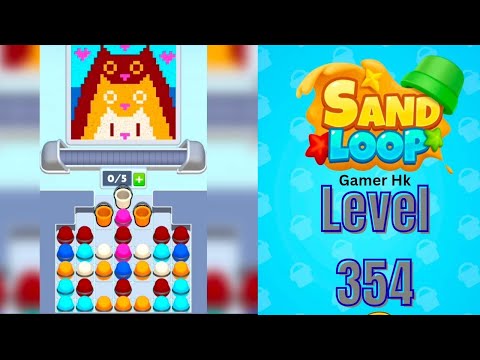
Sand Loop Level 354 Solution

Complete walkthrough and strategy guide for Sand Loop Level 354. Watch the video tutorial and learn expert tips to beat this level.

Level 354 Video Walkthrough

Sand Loop Level 354 Walkthrough
Click to play video

Watch this video walkthrough to learn how to beat Sand Loop Level 354. Follow the step-by-step solution.

Sand Loop Level 354 Overview

Master Sand Loop Level 354 with our complete walkthrough. This expert level typically takes 8–15 min to complete. Find tips, video guides, and strategies for this puzzle level.

354
Level
Expert
Difficulty
8–15 min
Avg Time

Detailed Level Strategy

A puzzle-platformer level called 'Sand Loop' featuring anti-gravity, size changes, moving blocks, and ship mode segments, requiring precise jumps and timing.

Estimated Clear Time
N/A
Observed Retries
9
Device
UNKNOWN
Game Version
UNKNOWN

Key Moments and Actions

TimeSceneActionCommon ErrorConfidence
00:00Level startPlayer character (cube) begins moving.100%
00:03First mode/size changePlayer enters a yellow anti-gravity portal and a pink size-down portal, becoming a small cube.100%
00:14Moving platform sectionPlayer lands on the first moving horizontal platform.100%
00:27Ship mode transitionPlayer enters a blue portal and transforms into a ship (UFO).100%
00:36Anti-gravity cube section after ship modePlayer exits ship mode and immediately enters an anti-gravity cube section.100%
00:45Level completionPlayer passes through the final completion portal, triggering the 'Level Complete' screen.100%

Step-by-Step Walkthrough

Step 1: Navigate a mini-cube anti-gravity section with ceiling spikes (successful segment from ~00:16-00:18).

In mini-cube anti-gravity mode, hold the jump button for a precise duration to float past the ceiling spikes, then release to land on a small platform.

Character lands safely on the small platform without hitting spikes.

Step 2: Jump over a series of small spikes after a mini-portal (successful segment from ~00:21-00:22).

As a mini-cube in normal gravity, execute two quick, precise short jumps over consecutive small spikes immediately after passing through a mini-portal.

Character lands safely on the ground without hitting spikes and proceeds to the next section.

Step 3: Navigate a mini-cube anti-gravity corridor with alternating floor and ceiling spikes (successful segment from ~00:25-00:27).

In mini-cube anti-gravity mode, tap and hold the jump button with precise timing to weave between the floor and ceiling spikes.

Character successfully passes through the corridor and enters the blue ship mode portal.

Step 4: Navigate the ship mode section with obstacles (successful segment from ~00:34-00:36).

In ship mode, tap and hold the jump button to control altitude, avoiding blocks and spikes by adjusting vertical position.

Character successfully navigates through the obstacles and exits the ship mode portal.

Step 5: Navigate an anti-gravity section with moving blocks immediately after ship mode (successful segment from ~00:38-00:40).

As a cube in anti-gravity, execute precise jumps, holding when necessary, to avoid spikes and land on moving platforms.

Character lands on solid ground after the anti-gravity section.

Step 6: Clear a final series of spikes and reach the completion portal (successful segment from ~00:42-00:45).

Perform a series of short and long jumps over the last set of spike obstacles to reach and enter the yellow completion portal.

Character enters the yellow and then blue completion portals, triggering the 'Level Complete' screen.
Common Failures and Fixes

Mistiming jumps over small spikes early in the level, especially after size changes.

Fix: Practice precise short taps for jumps when in mini-cube form to clear small spikes without hitting higher obstacles.

Evidence Time: 00:04

Failing to hold the jump button long enough in anti-gravity sections, leading to collisions with spikes.

Fix: Maintain the jump input for a longer duration to float higher and clear ceiling obstacles in anti-gravity zones.

Evidence Time: 00:15

Incorrectly controlling altitude in ship mode, resulting in hitting the ceiling or floor spikes.

Fix: Use quick taps for small altitude adjustments and longer holds for sustained ascent to navigate through obstacles in ship mode.

Evidence Time: 00:29

Mistiming jumps immediately after exiting a portal or changing modes (e.g., mini-portal, ship mode exit).

Fix: Anticipate the change in physics or character size/mode and adjust jump timing and duration immediately upon passing through portals.

Evidence Time: 00:20

Hitting the ceiling in anti-gravity sections when trying to clear floor spikes.

Fix: Release the jump button earlier or use shorter taps to descend and avoid colliding with overhead obstacles while still clearing floor hazards.

Evidence Time: 00:24

Mistiming jumps over sequential spike obstacles in the later parts of the level.

Fix: Focus on the rhythm and individual jump input required for each spike obstacle, rather than treating them as a single continuous jump sequence.

Evidence Time: 00:41

Quick FAQ

Q: How do I navigate the anti-gravity mini-cube sections in Sand Loop?

A: You need to precisely tap or hold the jump button to control your vertical movement. Hold to ascend or float, release to descend, carefully avoiding spikes on both the ceiling and floor.

Q: What's the trick to successfully controlling the ship mode segments in this level?

A: Ship mode requires continuous tapping or holding the jump button to ascend, and releasing it to descend. Practice using quick taps for fine altitude adjustments and longer holds for sustained flight through the obstacles.

Q: Why do I keep dying immediately after passing through portals in Sand Loop?

A: Portals often change your character's size, gravity, or mode of transport. Be prepared to immediately adjust your jump timing, input duration, and control scheme to adapt to the new physics or character state.

Share Sand Loop Level 354 Guide

Found this Sand Loop Level 354 walkthrough helpful? Share it with friends who might be stuck on this level!

Share Your Experience

0/200 characters

Max 1MB

Max 5MB

Community Comments (0)

No comments yet. Be the first to share your experience!